|
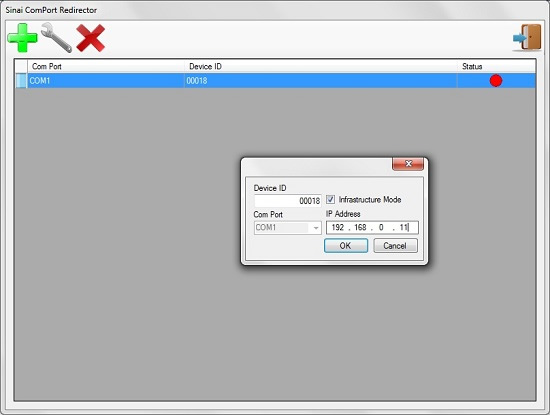
To make its WS4 PCBs more user-friendly, Sinai developed a pair of utilities that allow for a quick and easy configuration of both the Wifi boards and the computer they will communicate with: WS4 Configurator and WS4 Redirector.
WS4 Configurator features a step-by-step procedure that allows even an unexperienced user to correctly program the WS4 boards, setting parameters such as baudrate, network structure (infrastructure or ad-hoc) and passkeys or resetting the whole board before programming it again. The board can be programmed over a RS-232 interface.
WS4 Redirector lets the user configure the communication between a PC and one or more WS4 boards. The user only has to input the ID printed on the WS4, choose which Wifi adapter to use and the number of the COM port to be assigned to the PCB while WS4 Redirector does all the hard work creating the new network profile an virtual COM port, and setting the correct IP address and netmask. Redirector then remains in background, acting as a bridge between the WS4 board and the user's applications, which only need to open the virtual COM as if it were a physical COM port.
Sinai can develop custom versions of both the utilities and the WS4 boards.
|



 Back to Software